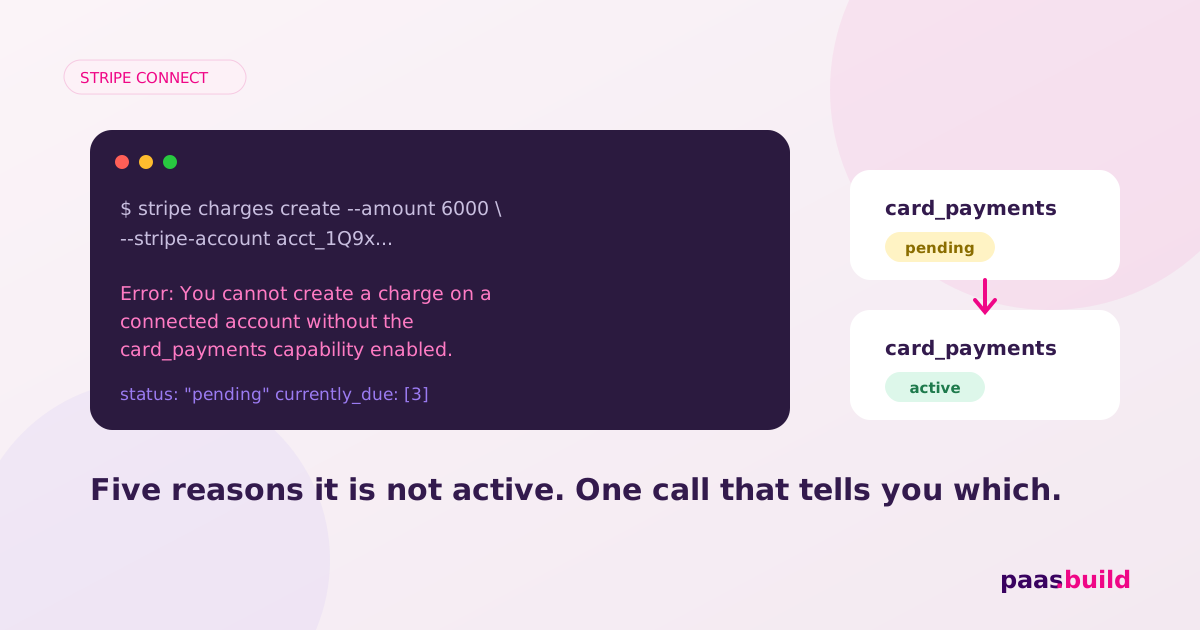
"Cannot create a charge on a connected account without the card_payments capability enabled": what it means and how to fix it
This is the error you hit the first time a real seller tries to take a real payment through your marketplace. It is not a bug in your code. It is Stripe telling you that the seller's account is not allowed to be a merchant yet. Here are the five reasons that happens, the exact calls that fix each one, and the case where the right fix is to change your charge type instead.
What the error actually says
In Stripe Connect, a connected account can only do the things its capabilities allow. Two of them matter here. transfers lets your platform move money to the account. card_payments lets the account itself be the merchant of record for a card payment, which is what a direct charge (or a charge with on_behalf_of) does. Stripe's own docs are explicit: for an account to have card_payments, you must request both card_payments and transfers, and if either one is inactive, both are disabled.
So the message decodes to: "you asked this account to be the merchant, and its card_payments capability is not active." The status is one of unrequested, pending, inactive or active. Everything below is about finding out which, and why.
First, look before you guess
One call tells you where the account stands. Read the capability directly, not the account summary:
curl https://api.stripe.com/v1/accounts/acct_123/capabilities/card_payments \
  -u "sk_live_...:"
You get back status plus a requirements hash with currently_due, past_due, eventually_due, disabled_reason and current_deadline. Also check charges_enabled and payouts_enabled on the account. Then match what you see to one of the five cases.
Cause 1: it was never requested
Standard accounts get card_payments requested automatically based on their country. Express and Custom accounts do not, unless you asked at creation or set it in your onboarding configuration. The classic symptom: accounts created in month one work, accounts created after a refactor fail, because the new creation path dropped the capabilities block.
Fix: request both capabilities on the existing account.
curl https://api.stripe.com/v1/accounts/acct_123 \
  -u "sk_live_...:" \
  -d "capabilities[card_payments][requested]=true" \
  -d "capabilities[transfers][requested]=true"
And add the same two lines to the create call, so it does not happen again. Requesting more capabilities than you need makes onboarding longer, so request exactly these two if direct charges are what you want.
Cause 2: pending, because verification is incomplete
pending means Stripe is waiting. The currently_due array lists what it is waiting for: a tax ID, a date of birth, an external account, a representative's identity document, a URL. Until the list is empty and Stripe has verified what was supplied, the capability stays pending and the charge fails.
Fix: collect what is listed. The least work is an Account Link to Stripe-hosted onboarding, which reads the requirements and asks the seller for exactly those fields:
curl https://api.stripe.com/v1/account_links \
  -u "sk_live_...:" \
  -d account=acct_123 \
  -d type=account_onboarding \
  -d refresh_url="https://yourapp.com/reauth" \
  -d return_url="https://yourapp.com/return"
Listen for account.updated and only show the seller's "accept payments" button once capabilities.card_payments is active. Showing it earlier is how your users end up pasting this error into Google.
Cause 3: inactive, because something went past due or a review opened
inactive is the worse state. Common reasons: a requirement moved from currently_due to past_due after its deadline; an identity check failed; or Stripe opened a risk review, which shows up as requirements whose IDs start with interv_. Stripe reports both compliance and risk requirements in the same hash, with a resolution path in the requirement name.
Fix: read disabled_reason first, then resolve what is listed. Past-due documents go through the same Account Link. Risk interventions usually need the seller to answer questions or upload evidence through the link Stripe provides. If the account was previously active and became inactive, that is almost always this case, and your platform should have caught the account.updated event that announced it. We wrote about why accounts get stuck at this stage in Stripe Connect account verification problems.
Cause 4: it works in your sandbox, fails in live
Stripe's docs note that sandboxes might not enforce some capabilities, and can let an account perform capability-dependent actions even when the capability is not active. So a marketplace can pass every test and then fail on the first real seller. If the error only appears in live mode, assume one of the three causes above and check the live account's capability status, not the test one.
Cause 5: you are using the wrong charge type
This is the one most threads miss. The error only applies when the connected account is the merchant of record. If your platform is really the merchant (you set the price, you own the customer relationship, your name is on the statement), then you want a destination charge or separate charges and transfers. Both need only the transfers capability on the seller's account. Your platform processes the card, and the seller receives a transfer.
| Charge type | Who is merchant of record | Capability needed on seller | Statement shows |
|---|---|---|---|
| Direct charge | The seller | card_payments + transfers | Seller's descriptor |
| Destination charge | Your platform | transfers | Platform's descriptor |
| Separate charges and transfers | Your platform | transfers | Platform's descriptor |
Switching charge type moves liability, tax position and dispute handling onto your platform, so it is a business decision, not a workaround. But many builders hit this error precisely because they copied a direct-charge example for a product that is really a platform sale.
A diagnostic checklist
- Read
/accounts/{id}/capabilities/card_paymentsin live mode. unrequested: requestcard_paymentsandtransfers.pending: send the seller through an Account Link; wait foraccount.updated.inactive: readdisabled_reasonandpast_due; look forinterv_requirements.- Still failing with
active: confirm the key, the account ID and the mode match, and thattransfersis alsoactive. - Ask whether the seller should be the merchant at all. If not, use destination charges.
The structural problem underneath
Every one of these causes comes from the same design: Stripe gates a seller's ability to take money behind completed verification. For a marketplace of registered companies that is fine. For a platform whose sellers are individuals, side-project founders and AI builders without a company, it means the first sale waits on documents, and some sellers never get through. The alternative model is progressive KYB: the seller goes live at once with a capped, monitored account, and verification completes in the background before the first payout, not before the first payment. That is how paas.build platforms onboard sellers, and it is why this particular error does not exist on our side: the account is live from the first API call, and the cap, not a capability flag, is what limits risk.
Honest caveat
If you are already on Stripe Connect and this error is your only problem, fix the capability and stay. Migrating rails to avoid one onboarding error is not worth it. The model matters when a meaningful share of your sellers never make it to active.
Sellers live before their first sale, not after their documents.
Progressive KYB, built in. One API call per seller.
See platforms →