Checked on 6 Nov 2026 against Stripe's docs
Stripe Connect: payouts_enabled false but charges_enabled true (2026)
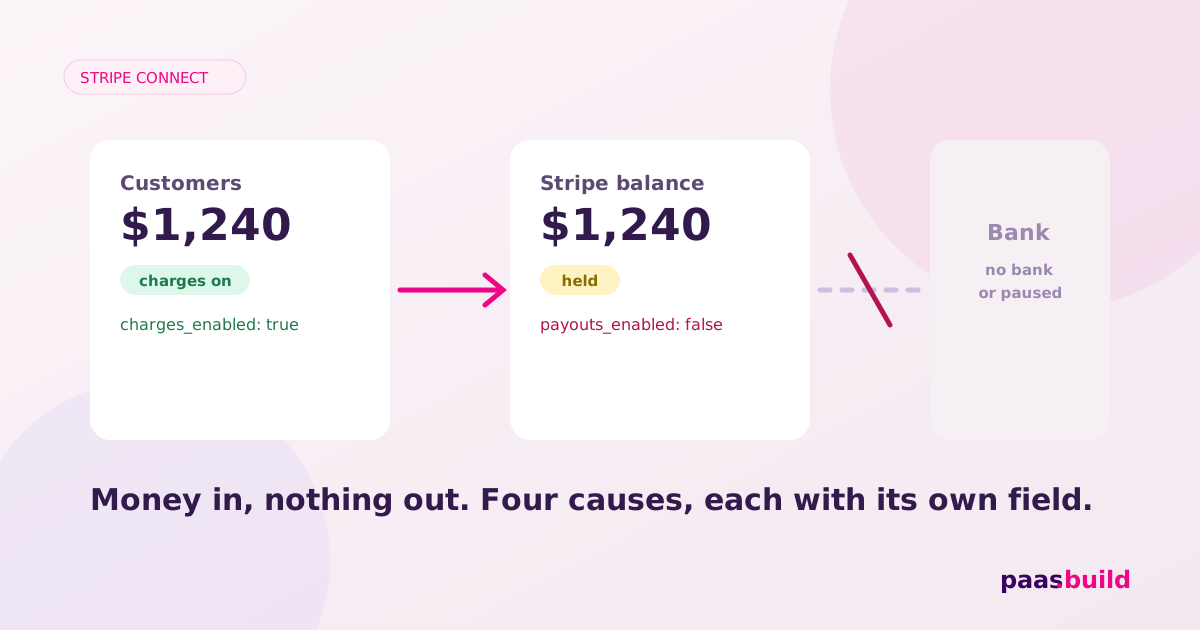
Your connected account can process charges, but its funds cannot be paid out. Start by resolving the outstanding payout requirements, then reread payouts_enabled. Check the disabled reason before asking for more documents: a platform pause needs your team to act, while pending verification needs a review outcome. Account flags; verification guidance; platform pauses.
What the account object looks like
Illustrative redacted excerpt, not a live capture. This models a company address requirement with charges still enabled. Stripe documents company.address.line1 and the reason shown below. Its business-address test also explicitly supports a charges-only outcome. Verification fields; test business addresses.
{
  "id": "acct_REDACTED",
  "object": "account",
  "charges_enabled": true,
  "payouts_enabled": false,
  "details_submitted": true,
  "requirements": {
    "currently_due": [
      "company.address.line1"
    ],
    "past_due": [
      "company.address.line1"
    ],
    "eventually_due": [
      "company.address.line1"
    ],
    "pending_verification": [],
    "disabled_reason": "requirements.past_due"
  },
  "capabilities": {
    "card_payments": "active",
    "transfers": "active"
  },
  "tos_acceptance": {
    "date": 1793836800,
    "ip": "192.0.2.10"
  }
}
The capability values are illustrative. Do not infer them from the two booleans in your own application. Store the returned values. transfers concerns funds transferred to the connected account, while payouts_enabled concerns paying funds out of it. Transfers capability; Account reference.
Decision tree: requirements, pause, or payout destination?
- Signal:
past_duehas entries ordisabled_reason="requirements.past_due". Read the named requirements and any verification errors. Have the owner correct those items through your supported onboarding flow. Stripe typically disables payouts when required information misses its deadline; other restrictions can also follow. Deadlines and verification errors. - Signal:
currently_duecontainsexternal_account. Collect a payout bank account or supported debit card. If your platform collects requirements, check the Dashboard setting that enables external-account collection in hosted onboarding. That collection is off by default for those accounts. Collect external accounts. - Signal: due fields include
tos_acceptance.dateortos_acceptance.ip. Complete genuine service agreement acceptance. For eligible API-managed accounts, submit the owner's acceptance date and IP through the Accounts API. These are not values you can invent to clear a flag. Service agreement acceptance. - Signal:
disabled_reason="platform_paused". Review the pause in the connected account's Dashboard details. If your team decides to resume payouts, unpause there. A pause blocks manual and automatic payouts, so changing the payout schedule is not the fix. Payout pause behaviour. - Signal:
requirements.pending_verificationis the disabled reason. Show a review status if there is no separate actionable requirement. If the reason isunder_reviewor rejection, inspect the available Dashboard action. Do not promise a review completion time. Disabled reasons and Dashboard actions. - Signal: a separate Payout has
status="failed". Read that Payout'sfailure_codeand correct the destination details. Stripe disables the external account involved after a payout failure. This is an additional payout diagnostic, not a documented guarantee that every failure produces this exact pair of Account flags. Payout status and failures.
If none of these signals identifies an action, open the connected account in the Dashboard with the current API response beside it. Capture the account ID, mode and restriction reason for your support investigation. Do not substitute guesses such as "bank review" for a reason you cannot see.
Fix the destination through the right owner
Accounts with full or Express Dashboard access let the account holder manage their external payout accounts. For accounts without Stripe-hosted Dashboard access, your platform manages them. Route the seller to the appropriate surface instead of presenting a bank-edit action your integration cannot perform. Payout management configurations.
For platform-managed collection, confirm that your onboarding form actually asks for payout details. Sending the owner through the same flow again will not help if you disabled that collection. Use Stripe's documented collection settings or your existing supported collection integration. External-account collection settings.
Keep the seller message narrow: "Payments are enabled. Payouts are unavailable while you complete the requested address information." Name an address only when the returned requirement identifies it. For a platform pause, route the ticket to your own operations team rather than asking the seller to upload another identity document.
For detailed document failures, see Stripe Connect account verification problems. For collection-flow problems, see Stripe Connect onboarding issues. Neither a new payment attempt nor repeated document collection is a useful default response to an unexplained payout flag.
Keep eligibility separate from payout timing
Stripe's payout schedule controls when automatic payouts happen. A manual interval turns automatic payouts off and requires manual payouts. The scheduling documentation does not establish that this setting alone makes payouts_enabled false. Do not diagnose this flag from the interval. Payout schedules.
Once the flag becomes true, investigate a missing payment separately through its payout status and destination. Your support screen should display eligibility, the last payout status, and any action needed as different items. This layout is an implementation recommendation, not a Stripe account status enum. Payout lifecycle.
How to reproduce in test mode
- Create a fresh sandbox company account and complete its other required fields using Stripe's Accounts v1 verification walkthrough.
- For business-address validation in an applicable country, use
address_no_matchascompany.address.line1. Supply legitimate city, state and postal-code values. Stripe documents this token as enabling only charges. Business address test tokens. - Read the returned requirements and flags. Change to
address_full_matchto test successful address validation. Start fresh for another restrictive case: Stripe says you cannot move from a more permissive address token to a more restrictive one on that account. Business address validation.
This documented recipe is not a live capture. Other outstanding requirements can still matter. Do not claim a universal outcome across countries or account configurations.
Sandbox and live have different enforcement
Sandboxes can allow actions despite inactive capabilities. Stripe also does not enforce platform payout pauses in sandboxes. Test-mode success proves nothing about live payout permission. Testing capabilities; Sandbox pause behaviour.
FAQs
Can the seller keep taking payments?
The returned charges flag says processing is enabled. Whether your platform continues offering checkout while payouts are blocked is your product and risk decision. Account flags.
Will a manual payout bypass the restriction?
A platform payout pause blocks manual payouts too. Resolve the restriction before changing payout scheduling. Effects of pausing payouts.
Does active transfers mean payouts work?
No. Receiving transferred funds and paying funds out are separate checks. Read the payout flag instead of treating the transfers capability as a withdrawal permission. Transfers; payouts_enabled.
Stuck re-verifying connected accounts?
paas.build onboards sellers progressively. If repeated verification is a platform-wide problem, compare the approach and review pricing.
Explore the alternative → View pricingSee also: Stripe Managed Payments alternatives (2026) and the alternatives hub.