Checked on 6 Nov 2026 against Stripe's docs
Stripe Connect: charges_enabled false but details_submitted true (2026)
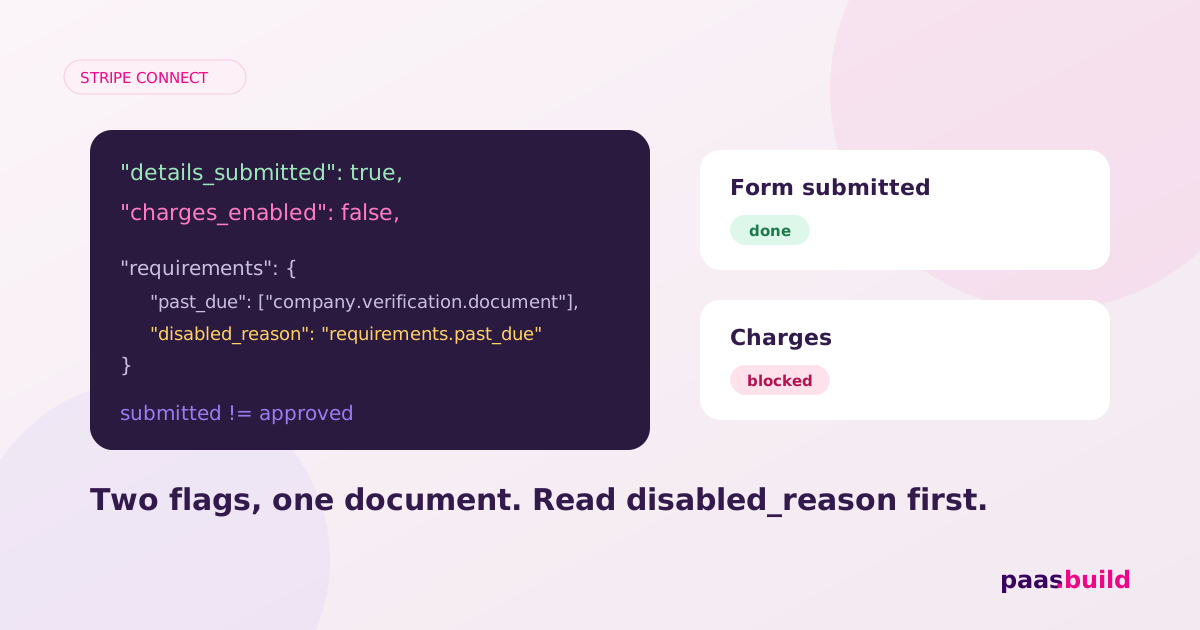
details_submitted=true means your seller submitted account details. charges_enabled=false means the account cannot process charges. Start with the usual remediation path: collect the outstanding requirements through onboarding, then check the account again. Submission is not approval, and repeating a completed form will not resolve a review already in progress. Stripe Account reference; verification guidance.
What the account object looks like
Illustrative redacted excerpt, not a live capture. This example represents submitted details with an unresolved company document. Field names and capability values follow the Account reference; the document requirement and disabled reason appear in Stripe's verification guide. The combination is illustrative, not a promised response for every country.
{
  "id": "acct_REDACTED",
  "object": "account",
  "charges_enabled": false,
  "payouts_enabled": false,
  "details_submitted": true,
  "requirements": {
    "currently_due": [
      "company.verification.document"
    ],
    "past_due": [
      "company.verification.document"
    ],
    "eventually_due": [
      "company.verification.document"
    ],
    "pending_verification": [],
    "disabled_reason": "requirements.past_due"
  },
  "capabilities": {
    "card_payments": "inactive",
    "transfers": "inactive"
  },
  "tos_acceptance": {
    "date": 1793836800,
    "ip": "192.0.2.10"
  }
}
Read this as three separate facts: a submission happened, processing is blocked, and a document needs attention. Keep those facts separate in your own database. A single onboarded flag loses the distinction that brought you here.
Decision tree: find the blocker before reopening onboarding
Retrieve the same connected account your payment code uses. Use the platform key for the relevant environment. Retrieve an account documents this endpoint:
curl https://api.stripe.com/v1/accounts/acct_REDACTED \
-u "$STRIPE_SECRET_KEY:"- Signal:
requirements.past_duecontains fields. Those fields need resolution. Ifrequirements.errorsexplains a rejected value, use that explanation to request a correction. Direct the owner to the outstanding-information flow. Do not ask for every document again. Handle verification requirements. - Signal:
currently_duecontains fields butpast_dueis empty. Collect those fields and readcurrent_deadline. A due field is an action item, but its presence alone does not identify every disabled capability. Inspect the capability requirements too. Requirements and deadlines; account capabilities. - Signal:
disabled_reason="requirements.pending_verification". Stripe is reviewing information. If there are no separate actionable requirements, tell the owner that their information is under review. Do not replace this state with another upload request. Disabled reasons. - Signal:
disabled_reason="platform_paused". Check your team's pause in the connected account's Dashboard details. An authorised platform operator can unpause payments there. This control applies when your platform is liable for negative balances and is not available for Accounts v2. Pause and unpause payments. - Signal:
action_required.requested_capabilities, or the needed capability is absent. Confirm what your integration needs before requesting it. Read the existing card_payments capability troubleshooting guide for the request calls. Disabled reasons; request capabilities. - Signal:
under_review,listed, or a documentedrejected.*reason. Inspect the account's Dashboard action or appeal, if offered. Risk review information must go through Stripe's supported interface, not an arbitrary Accounts API update. Risk reviews and disabled reasons.
This order is a triage recommendation. Stripe does not publish a frequency ranking that proves which cause is most common. Start with outstanding requirements because that gives you a concrete next action; follow the returned reason when it points elsewhere.
Give the owner one specific action
Use an account_onboarding Account Link when an existing account has new requirements. Present it to the authenticated owner inside your app. Stripe documents this link type for outstanding information and warns against distributing Account Link URLs outside your application. Account Links and outstanding requirements.
Write the prompt around the actual problem: "Your company document needs a correction. Open verification to see the requested information." If you only know that a review is pending, say that. Avoid "Your account is verified" while your own stored processing flag is false.
If the missing entries are tos_acceptance.date or tos_acceptance.ip, obtain the owner's real agreement through the appropriate flow. For eligible API-managed accounts, Stripe documents recording the acceptance date and IP. Do not copy the example values into a live account. Record service agreement acceptance.
The browser returning to return_url is not your success condition. Stripe can return the owner after they save for later. Retrieve the account on return, or refresh your cached state from account.updated. Handle the return URL. Keep your payment control disabled until the relevant state permits it.
For the document checks themselves, use our account verification guide. For repeated exits from the form, use our onboarding issues guide. This page concerns the mismatch between submission and processing status.
How to reproduce in test mode
- Create and complete a sandbox account using Stripe's Accounts v1 verification walkthrough. Use test credentials and its documented test identity data.
- Record the account's flags. Create a test charge using
tok_visa_triggerChargeBlock, as documented under testing blocked charges. - Inspect the resulting
account.updated: Stripe documentscharges_enabled=falseand newcurrently_dueinformation. Submit that information and inspect the recovery event. Blocked-charge recovery.
Stripe does not document that this trigger always preserves details_submitted=true. Record the observed value instead of claiming an exact reproduction of both flags. These steps are a documented test recipe, not a test run performed for this article.
Sandbox success is not live readiness
Stripe sandboxes can allow capability-dependent actions while a capability is inactive. A successful test payment proves nothing about live enablement. Check the live account's flags and capabilities separately. Testing capabilities.
FAQs
Does details_submitted mean verification passed?
No. It records submission of account details. Keep it separate from the flags you use to permit processing and payouts. Account field definitions.
Should I create another connected account?
Do not make that your default fix. Diagnose the existing account and collect its outstanding information. Stripe supports onboarding links for new requirements on existing accounts. Onboarding existing accounts.
What if every requirement array is empty?
Read the disabled reason and capability status, then inspect Dashboard actions. Empty arrays do not explain a platform pause or every review outcome. Platform pauses; disabled reasons.
Stuck re-verifying connected accounts?
paas.build onboards sellers progressively. If repeated verification is a platform-wide problem, compare the approach and review pricing.
Explore the alternative → View pricingSee also: Stripe Managed Payments alternatives (2026) and the alternatives hub.